Stylized Projectile VFX
This is a real-time stylized projectile VFX I created in Unreal Engine 5 using Niagara. Sequence includes the Charge Up, Projectile Travel and the Impact. The workflow included Substance Designer to create the textures, EmberGen for the simulations and custom master materials and functions built for flexibility in Unreal Engine.
I've shared breakdowns of early prototypes, texture progressions, shader graphs and more. Super huge thanks to everyone who gave me their feedback and suggestions which helped shape this project, I also want to credit the Environment creators of "Stylized Landscape 5 Biomes" for making it available for use.
Finalized complete sequence of the effect: Charge Up, Fire and the Impact.


A very early block-out to test the sequence and timing.
Comparing the base energy sphere to the enhanced version to get an idea of how the transition should happen, how contrasty they should be from one another.
Initial pass of the effect to check the shapes, colors, timing and the how each emitter transitioned from one to another.
Second-to-last pass: Getting closer to the final version : everything is in place, with only a handful of parameters left to tweak.


Embers texture progression: from base shape to texture in Substance Designer

Flame Rings

Impact

Lensflare

Shockwave

Wispy Smokes

Wispy Flames


A stylized directional burst of fire from EmberGen (Settings posted under "EmberGen" below)

Iterations of the ring of fire around the energy sphere (Basic Sphere)

Iteration #2 (Basic Sphere)

Iteration #3 (Basic Sphere)

Iterations of the ring of fire around the energy sphere (Enhanced Sphere)

Iteration #2 (Enhanced Sphere)


An example of a stylized fire sim from EmberGen I used.

Below are the main parameters used to achieve a stylized look from EmberGen.

Adjusted shading nodes in EmberGen to refine the look of the flames.

A shape break-up non-uniformity.

Modified style settings to push the effect towards a more stylized look.

Tweaked vorticity for more dynamic motion and swirling energy patterns and something a bit cartoony and not very life-like.

Clamped color gradients to control flame hues and keep the palette readable while keeping it stylized. Hard cuts between each values pushed the look further while using a limited number of hues.

Final post-process adjustments.

Textures created by me, licensed CC0 : Fully free to use, no attribution required.

Embers

Fire Rings

A Flame noise that can be used with UV distortion and masking

Flame lines to wrap around a cylindrical mesh

Flash #1

Flash #2

Impact #1 (Great to use with erosion since the highlights are at the edges)

Impact #2

Lensflare

Smokes

Wispy Flames

Wispy Smoke

Electrical Arcs

Shockwave

Flame-y Circle

Built almost all the master materials with functionality and reusability in mind so they can be reused flexibly across different material instances.

Shader Setup for basic materials to utilize the particle systems COLOR. (All master materials were

Setup for any materials that uses the COLOR RAMP and has basic functionality

Same setup as above but with a different COLOR RAMP. (Materials were cloned and changed like this for a variety in the texture)

Uses the SMOOTH STEP node to drive the erosion, mainly used for any material that dissolved from the texture (Impact, Shockwaves)

A shader setup for a post process effect I ended up not including in the effect. The material was applied to a deformed cylinder that was attached to the camera for the ease of panning textures on it.

Nodes for the energy sphere mainly focused on being double sided and the inside of the mesh having different values to the outside. This was by lerping the two values using "Two Sided Sign" as the alpha input to give it much more depth.

Node setup for the bright flame-y rings to indicate the directionality of the effect.

Using Fresnel to create a glowing sphere where the inside was hollow.
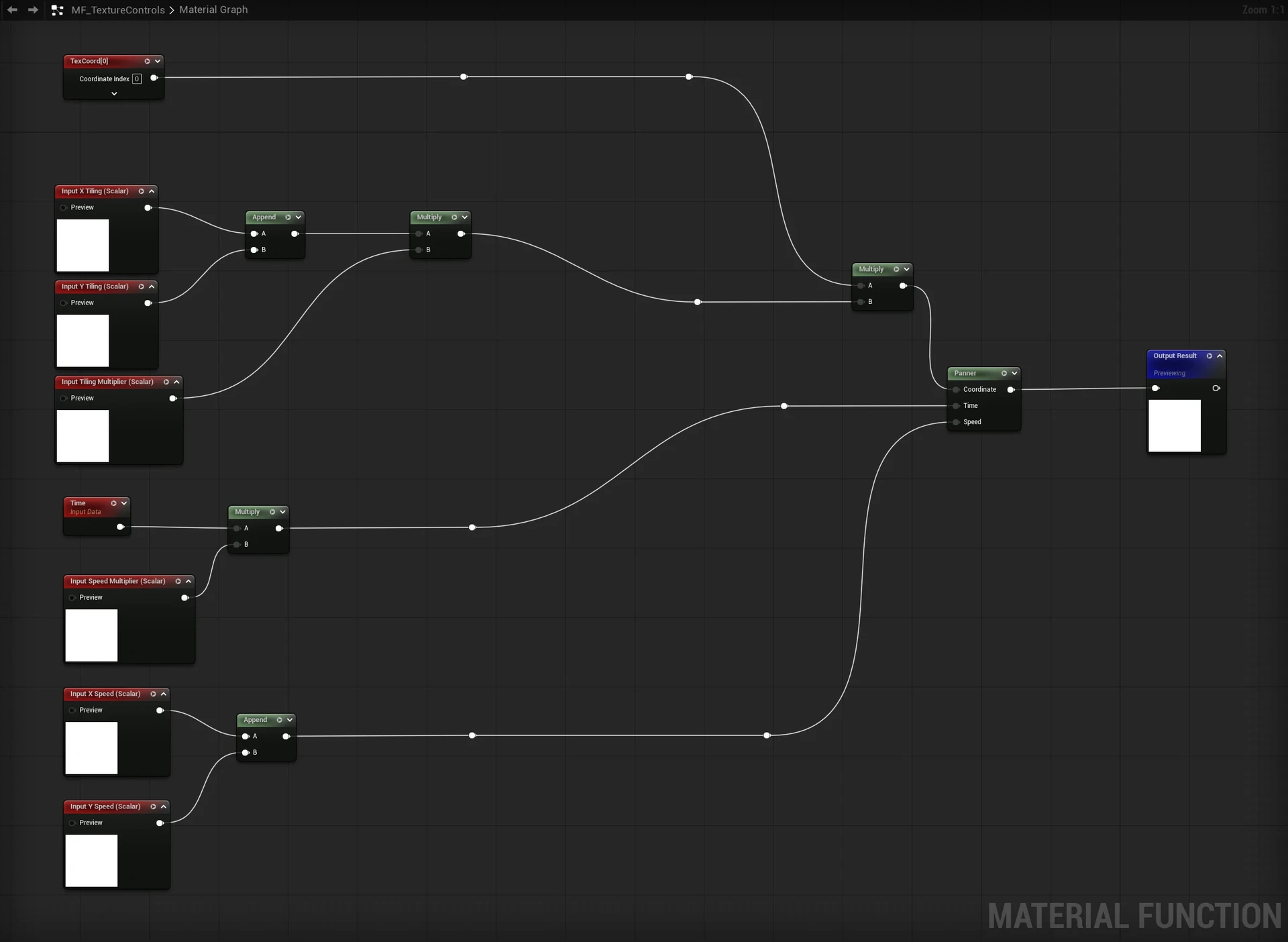
A material function created to easily parameterize Tiling, Panning, UV Distortion.

Post-Process for the impact frames used in the scene.

Shader for the Projectile's mesh.

Projectile's trail setup with UV Distortion, Erosion.

For any basic material that used a trail texture on a mesh this was used.

A flipbook setup with an option to tint the values and change intensity.
Made in Unreal Engine 5.
